
What is Microsoft Dynamics NAV?
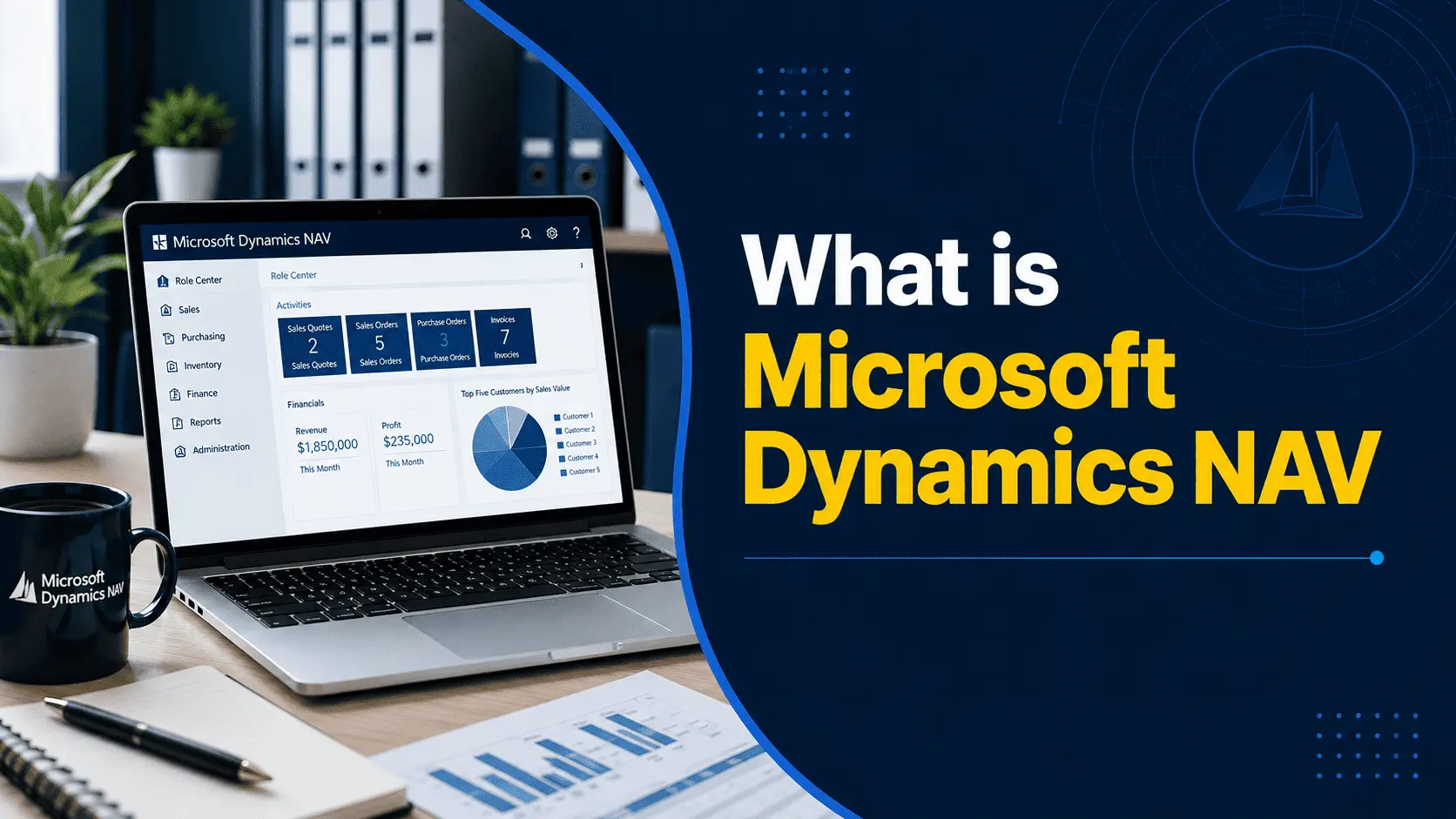
Microsoft Dynamics NAV is an ERP (enterprise resource planning) system, which simply means it’s software designed to run the core operational and financial functions of a business from one connected platform instead of a dozen separate tools. Instead of your accounting team working in one system, your warehouse tracking stock in a spreadsheet, and your sales team managing orders in a third tool, NAV pulled all of that into a single database that everyone could see and use.
NAV was originally aimed at small and midsize businesses that had outgrown basic accounting software like QuickBooks or Sage but weren’t ready for the size and cost of a large-enterprise system like SAP. It was known for being flexible and relatively affordable to implement, and it was almost always deployed and customized through a network of Microsoft partners rather than sold directly off the shelf.
The reason companies adopted it usually came down to visibility and control. Once financial data, inventory levels, and sales orders lived in the same system, business owners and finance leaders could finally see an accurate, real-time picture of the business instead of piecing together reports from different departments.
What Was Microsoft Dynamics NAV Used For?
Dynamics NAV was used to run the day-to-day operational backbone of a business. In practice, that meant a few core areas:
Financial management and accounting: General ledger, accounts payable, accounts receivable, budgeting, and financial reporting all lived in NAV, which meant a finance team could close the books and produce reports without exporting data from three different systems.
Sales and purchasing: Sales orders, quotes, purchase orders, and vendor management were tracked in the same system as inventory and finance, so a sales rep could see stock availability in real time instead of guessing or calling the warehouse.
Inventory and supply chain: Companies used NAV to track stock levels, reorder points, and movement of goods across warehouses or locations, which reduced the amount of manual counting and guesswork involved in fulfillment.
Manufacturing: Manufacturers used NAV to manage bills of materials, production orders, and capacity planning, connecting the shop floor to the finance and sales side of the business.
Warehouse and project management: Larger implementations extended into warehouse management for pick, pack, and ship workflows, and job or project costing for service and project-based businesses.
Reporting: Because everything sat in one database, NAV made it possible to build reports that pulled from sales, inventory, and finance simultaneously, something that’s nearly impossible when data lives in disconnected systems.
Key Features of Microsoft Dynamics NAV
NAV covered a broad set of business functions. Here’s a simple breakdown of what each major area actually did for a business:
| Feature | What it helps businesses do |
|---|---|
| Financial Management | Manage the general ledger, accounts payable/receivable, budgets, and financial statements in one place |
| Inventory Management | Track stock levels, locations, and reorder points to avoid overstocking or running out of product |
| Manufacturing | Plan production, manage bills of materials, and coordinate capacity across the shop floor |
| Sales & Purchasing | Process quotes, orders, and vendor purchasing while checking inventory availability in real time |
| Supply Chain | Coordinate purchasing, warehousing, and shipping so goods move efficiently from vendor to customer |
| Reporting & Business Intelligence | Build financial and operational reports that draw from live data instead of manual spreadsheets |
NAV was also known for being highly customizable. Its development environment (often referred to by developers as C/AL or, in later versions, AL) allowed Microsoft partners to tailor the system to a business’s specific workflows, which is part of why so many industry-specific NAV implementations still exist today.
Benefits of Microsoft Dynamics NAV
The features above are useful, but the real reason businesses chose NAV comes down to a handful of practical benefits.
A single source of truth: When finance, sales, and inventory all pull from the same database, teams stop arguing about whose numbers are correct. A finance manager and a warehouse supervisor are looking at the same information.
Better financial visibility: Instead of waiting until month-end to understand cash position or profitability, leadership could see financial data as transactions happened.
Tighter inventory control: Businesses that previously over-ordered or ran out of stock could set reorder points and get a clearer picture of what was actually on hand.
Process automation: Manual, repetitive tasks like generating purchase orders when stock ran low or posting recurring journal entries could be automated, freeing up staff time for higher-value work.
Scalability: As a business added locations, product lines, or employees, NAV could generally scale with it, especially compared to entry-level accounting software.
Deep customization: Because Microsoft partners could modify NAV’s underlying code, businesses in niche industries (specialty manufacturing, distribution with unusual pricing rules, and so on) could get software that matched how they actually operated.
Integration with the Microsoft ecosystem: NAV connected reasonably well with tools like Excel and Outlook, which mattered for businesses that lived inside Microsoft Office day to day.
Who Used Microsoft Dynamics NAV?
Dynamics NAV was especially popular with small and midsize businesses, generally companies with anywhere from roughly 10 to a few hundred employees, that needed more structure than basic accounting software but didn’t need (or couldn’t afford) a large enterprise ERP system.
By industry, adoption was strongest in:
- Manufacturing, where bill-of-materials tracking and production planning were essential
- Distribution and wholesale, where inventory accuracy and order management directly affected profitability
- Retail, particularly multi-location retailers that needed centralized inventory and financial data
- Professional services, where project and job costing mattered more than physical inventory
Part of NAV’s appeal for these businesses was cost and flexibility relative to enterprise-grade systems. A midsize distributor didn’t need (or want to pay for) the complexity of an SAP implementation, but it had genuinely outgrown QuickBooks. NAV sat in that middle ground, and Microsoft’s large partner network meant there was almost always a local implementation partner who understood a given industry.
Microsoft Dynamics NAV History and Evolution
Dynamics NAV has roots that go back further than the Microsoft name suggests. It began as Navision, a product built by a Danish software company of the same name. Microsoft acquired Navision in 2002 as part of a broader push into the business applications market, and the product was eventually rebranded as Microsoft Dynamics NAV.
Over the following years, Microsoft released a steady stream of NAV versions, each adding new capabilities, extending platform support, and gradually modernizing the underlying technology. Development shifted from the original C/AL programming language toward AL, a more modern language, as Microsoft prepared the product for a cloud-first future.
That shift became clear with NAV 2018, the final major version released under the Dynamics NAV name. Shortly after, Microsoft launched Dynamics 365 Business Central, a cloud-based evolution of the same underlying platform. Rather than continuing to release new NAV versions indefinitely, Microsoft redirected its development investment into Business Central, which is now the actively developed product in this product line.
Microsoft Dynamics NAV Versions
Businesses researching NAV today are most likely to encounter one of these later versions, since earlier releases have long been out of active use:
- NAV 2015 – introduced a modernized web client and improved integration options
- NAV 2016 – added enhancements to reporting and licensing flexibility
- NAV 2017 – improved the development experience and expanded Office 365 integration
- NAV 2018 – the final NAV release, and the version most directly connected to the technology behind Business Central
If your organization is running one of these versions, you’re on the most recent and most supportable end of the NAV product line, which matters for the support discussion below.
Is Microsoft Dynamics NAV Still Available?
Microsoft is no longer selling Microsoft Dynamics NAV as a product to new customers. If your business is choosing an ERP system today, Microsoft’s current offering in this space is Dynamics 365 Business Central, not NAV.
That said, “still available” means something different depending on who’s asking. If you’re already running NAV, your existing licenses and installation continue to work, and Microsoft partners can still support, maintain, and even customize existing NAV environments. What’s changed is that NAV is no longer where Microsoft is investing its development effort or offering to new customers. New capabilities, cloud features, and ongoing platform investment are all happening in Business Central instead.
Is Microsoft Dynamics NAV Still Supported?
Support for Dynamics NAV depends entirely on which version you’re running, and as of 2026, most versions are already past mainstream support, with some approaching the end of extended support entirely.
Microsoft support for on-premises products like NAV typically runs through two phases. Mainstream support is the first stretch, when a product receives new features, functional updates, and full technical support. Extended support follows, and during that phase Microsoft generally limits itself to security updates and critical fixes rather than new functionality.
Every version of Dynamics NAV has now moved past mainstream support. Extended support timelines vary by version, with earlier releases already fully unsupported and later versions, including NAV 2018, still receiving security updates for a defined period. Because these dates are specific and change based on your exact version, it’s worth checking Microsoft’s official product lifecycle documentation for the precise end-of-support date that applies to your installation, and speaking with a partner if you’re unsure which version you’re on. Once a version reaches its final end-of-support date, Microsoft stops issuing security patches for it entirely, which is a meaningful risk for any business handling financial or customer data.
Dynamics NAV vs Microsoft Dynamics 365 Business Central
Dynamics NAV and Dynamics 365 Business Central share the same technical DNA, but they are not the same product, and understanding the difference is probably the single most useful thing you can take from this article.
Business Central is Microsoft’s modern successor to NAV. It runs on the same core concepts, financials, sales, inventory, and operations in one system, but it was rebuilt for the cloud and is where Microsoft now focuses new development, AI features, and long-term investment. NAV wasn’t a failed product; it was a genuinely important ERP platform for two decades. Business Central is simply the direction Microsoft has taken that platform going forward.
| Area | Dynamics NAV | Dynamics 365 Business Central |
|---|---|---|
| Product status | Legacy product; no longer sold to new customers | Actively developed and sold by Microsoft |
| Deployment | Primarily on-premises, partner-hosted | Cloud (SaaS) or on-premises |
| Updates | Periodic version releases; fixed support lifecycle | Continuous updates under Microsoft’s cloud release model |
| User experience | Traditional Windows-style client interface | Modern, browser-based interface integrated with Microsoft 365 |
| Integrations | Limited native integration with modern Microsoft tools | Native integration with Teams, Outlook, Power BI, and Power Platform |
| Cloud capabilities | Not natively cloud-based | Built cloud-first, with an on-premises option available |
| Modernization | Development effort has ended | Ongoing feature releases and AI/Copilot investment |
For a business currently on NAV, the practical takeaway is that Business Central isn’t a competing product you’d choose instead of NAV, it’s effectively where NAV has gone. Data and processes from NAV are generally migratable to Business Central, and many Microsoft partners specialize specifically in that transition.
What Should Businesses Using Dynamics NAV Do Today?
There’s no single right answer here, it genuinely depends on your specific situation. A few factors matter most:
- Which NAV version you’re running. Businesses on NAV 2018 have more runway than those on earlier, already-unsupported versions.
- How customized your environment is. Heavily customized NAV implementations take more planning to migrate than simpler, more standard setups.
- Your integrations. If NAV connects to other systems (e-commerce, payroll, industry-specific tools), those dependencies need to be mapped before any migration.
- Your growth plans and cloud strategy. A business planning to scale, add locations, or move toward cloud infrastructure generally benefits from getting ahead of the transition rather than waiting.
- Budget and timing. Migrations take planning and investment, so timing them around your business’s needs, rather than reacting at the last minute, tends to produce better outcomes.
In practice, most businesses fall into one of three positions: continuing to run and maintain an existing NAV environment for now while support remains available, actively planning an upgrade or migration on a defined timeline, or beginning to evaluate Business Central to understand what a move would involve before committing to a date. None of these is inherently wrong. What matters is making the decision deliberately, with a clear understanding of your current version’s support timeline, rather than by default.
How Can Nevas Technologies Help With Dynamics NAV?
Navigating a legacy ERP environment, understanding support timelines, or evaluating a path to Business Central is easier with a partner who’s worked through these decisions before. At Nevas Technologies, we help businesses understand their ERP options and make informed decisions about their Dynamics environment, whether that means getting a clearer picture of your current NAV setup, understanding what a Business Central migration would realistically involve, or simply figuring out the right next step for your organization. If you’re trying to make sense of where Dynamics NAV fits into your business today, we’re happy to talk through it with you.
Frequently Asked Questions About Microsoft Dynamics NAV
What does Microsoft Dynamics NAV stand for?
NAV comes from “Navision,” the original product name before Microsoft acquired the company in 2002 and rebranded it as Microsoft Dynamics NAV.
Is Microsoft Dynamics NAV an ERP?
Yes. Dynamics NAV is an enterprise resource planning system that combines financial management, sales, purchasing, inventory, and operations into one connected platform.
Is Dynamics NAV still used?
Yes, many businesses still run Dynamics NAV today, particularly those with established, customized implementations. However, Microsoft no longer sells it to new customers.
Is Dynamics NAV discontinued?
Dynamics NAV is no longer actively developed or sold as a new product, but existing installations continue to function and can still receive partner support, and some versions remain within their support window.
What replaced Microsoft Dynamics NAV?
Microsoft Dynamics 365 Business Central is the direct successor to Dynamics NAV, built on the same underlying platform but modernized for the cloud.
Is Dynamics NAV the same as Business Central?
Not exactly. They share the same technical foundation, but Business Central is a modernized, cloud-capable evolution of NAV with ongoing feature development, while NAV is a legacy product on a fixed support timeline.