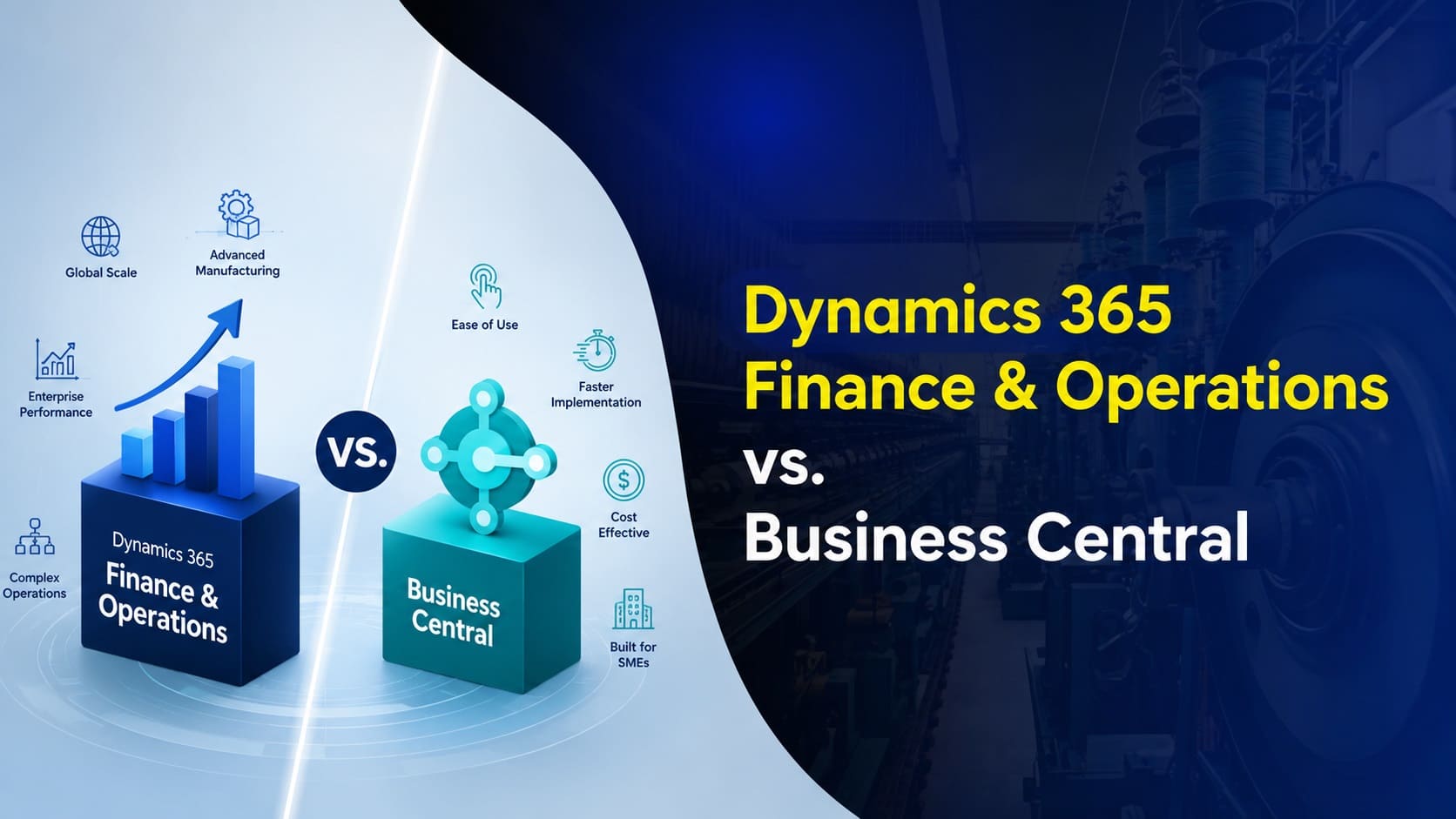
Microsoft offers two ERP platforms under the Dynamics 365 name, and it’s easy to see why businesses get them mixed up. Both connect financial and operational data. Both run in the cloud. Both carry the Dynamics 365 brand. But Dynamics 365 Finance & Operations (F&O) and Dynamics 365 Business Central are built for very different scales of business.
The short version: Business Central delivers streamlined, full-featured ERP for small and mid-sized organizations. Dynamics 365 F&O is built for complex, high-volume, global operations that need deeper configuration and scale. In this guide, we’ll break down what each platform actually does, how they compare across finance, sales, manufacturing, AI, and pricing, and how to figure out which one fits your business.
What Is Dynamics 365 Finance & Operations?
Dynamics 365 Finance & Operations is Microsoft’s enterprise resource planning platform built for organizations with complex financial and operational requirements. It’s made up of two core applications, Dynamics 365 Finance and Dynamics 365 Supply Chain Management, which businesses can run individually or combine for a fully connected ERP environment.
Dynamics 365 Finance covers core financials, accounts payable and receivable, budgeting, financial reporting, asset management, cash management, and complex multi-entity operations. Dynamics 365 Supply Chain Management extends that environment across procurement, inventory, planning, manufacturing, warehousing, transportation, and fulfillment.
D365 F&O is built for scale. It supports advanced configuration, growing transaction volumes, multiple business units, and complex global requirements. That depth typically comes with a higher software cost and a longer, more involved implementation than Business Central.
What Is Dynamics 365 Business Central?
Dynamics 365 Business Central is Microsoft’s cloud-based ERP solution built for growing small and mid-sized businesses. It connects financial management, purchasing, sales, inventory, projects, warehouse management, and reporting into one system, giving teams a shared source of data instead of disconnected spreadsheets and point solutions.
Business Central is designed to deliver strong ERP functionality without the complexity of an enterprise-scale platform. Its intuitive interface, flexible configuration, and streamlined implementation approach make it a natural fit for businesses that have outgrown basic accounting software but don’t need, or want to pay for, enterprise-level complexity. It also scales as a business adds users, entities, and more sophisticated processes over time.
Because Business Central is part of the Microsoft ecosystem, it integrates closely with Microsoft 365, Power BI, and the Power Platform, connecting data, reporting, automation, and everyday productivity tools your team already uses.
D365 F&O vs. Business Central: At a Glance
| Category | D365 Finance & Operations | Business Central |
|---|---|---|
| Company size | Large enterprises | Small to mid-sized businesses |
| Starting price | From $210/user/month | From $80/user/month |
| Minimum users | 20 | 1 |
| Deployment | Cloud or on-premises | Cloud or on-premises |
| Ease of use | Moderate complexity | Intuitive and user-friendly |
| Transaction volume | Medium to large | Small to medium |
| Implementation time | 8+ months | 2 to 9 months |
| Implementation complexity | High | Moderate |
| Multi-company and global operations | Advanced | Supported |
| Copilot and AI | Included | Included |
Functional Comparison
Both platforms cover the same core business areas, but the depth of each function differs quite a bit. Here’s how they compare across the processes that matter most.
Financial Management (Record to Report)
Both platforms support multi-entity and multi-currency accounting, but D365 F&O is built for complex reporting structures, advanced posting frameworks, and automated consolidations. Business Central supports more streamlined financial structures with manual eliminations for consolidations.
| Category | D365 F&O | Business Central |
|---|---|---|
| Chart of accounts | Global chart with advanced posting rules | Chart of accounts with dimensions |
| Financial reporting | Complex reporting and consolidations | Reports for simpler structures |
| Consolidations | Automated eliminations | Manual eliminations |
| Multiple entities and currencies | Supported | Supported |
Purchasing and Vendor Management (Procure to Pay)
D365 F&O provides advanced capabilities like full requisition management with punchout, vendor collaboration, and sophisticated demand planning using MRP calculations across multiple scenarios. Business Central supports essential purchasing and planning functions through requisition worksheets with approvals and a standard planning worksheet, well suited to less complex procurement needs.
Sales and Billing (Order to Cash)
D365 F&O handles complex pricing models, trade agreements, and advanced revenue recognition and collections workflows. Business Central focuses on straightforward sales and billing, with simpler pricing structures by customer or item group, revenue deferrals for standard scenarios, and standard aging reports for credit management.
Project Management and Accounting
D365 F&O supports advanced project structures, costing, billing, and financial controls for complex project-based organizations. Business Central covers project cost and revenue tracking, invoicing, time and expenses, and budgeting, well suited to businesses with more straightforward project accounting needs.
Manufacturing, Inventory, and Warehouse Management
D365 F&O supports both discrete and process manufacturing, along with advanced multi-site inventory, sophisticated warehouse configurations, and native transportation management. Business Central Premium supports discrete and assembly manufacturing, comprehensive inventory management, and streamlined warehouse processes, a strong fit for manufacturers who don’t need complex batch or process manufacturing.
AI and Copilot: What Each Platform Offers
Both platforms are part of the Microsoft ecosystem and include embedded Copilot experiences that help users find information, analyze data, summarize activity, and complete tasks using natural language. Microsoft is also expanding both platforms with AI agents that automate specific business processes.
In Dynamics 365 F&O, Copilot supports financial and operational workflows by summarizing data, surfacing insights and exceptions, and assisting with communications. Emerging AI agents include tools that identify reconciliation exceptions and recommend resolutions, and agents that manage supplier communications and monitor purchase order changes.
In Business Central, Copilot supports everyday finance, sales, and purchasing workflows, helping users find records, complete tasks, and build analyses using natural language. Purpose-built agents include tools that monitor customer emails to prepare quotes and sales orders, and agents that process incoming vendor invoices and prepare purchase invoice drafts for review.
Both platforms continue to expand their AI capabilities, and organizations can extend either one with custom agents built on the broader Microsoft cloud.
Pricing and Licensing Compared
Business Central carries a lower starting price and a more consolidated licensing model than D365 F&O, which separates financial and supply chain capabilities into distinct applications.
Business Central is available in two editions. Essentials costs $80 per user per month and covers core finance, sales, purchasing, inventory, projects, and warehousing. Premium costs $110 per user per month and adds manufacturing and service management.
Dynamics 365 Finance & Operations licensing centers on two applications, Dynamics 365 Finance and Dynamics 365 Supply Chain Management. Standard editions of each cost $210 per user per month with a 20-license minimum. Premium editions cost $300 per user per month with a 10-license minimum, adding capabilities and capacity for organizations with more advanced requirements.
| License | Price | Minimum Users |
|---|---|---|
| Business Central Essentials | $80/user/month | 1 |
| Business Central Premium | $110/user/month | 1 |
| D365 Finance (Standard) | $210/user/month | 20 |
| D365 Finance (Premium) | $300/user/month | 10 |
| D365 Supply Chain Management (Standard) | $210/user/month | 20 |
| D365 Supply Chain Management (Premium) | $300/user/month | 10 |
Pricing changes periodically, so it’s worth confirming current numbers with a Microsoft partner before finalizing a budget.
Implementation Differences
Implementation complexity is one of the clearest differences between the two platforms. Both require planning, configuration, data migration, testing, training, and go-live support, but D365 F&O implementations typically involve broader business processes, more complex integrations, and more extensive configuration.
| Category | D365 F&O | Business Central |
|---|---|---|
| Typical timeline | 8 to 24 months | 2 to 9 months |
| Implementation complexity | High | Moderate |
| Customizations | Often more extensive | Often standard configuration and extensions |
| Integrations | Often multiple enterprise systems | Often fewer, though complex integrations are supported |
| User training | Broad role-based training across teams | Role-based training across implemented functions |
Rapid, accelerated implementation approaches exist for both platforms when an organization’s requirements fit a more standardized deployment, focusing on defined scope, standard functionality, and limited customization to reduce time and cost.
How to Choose Between D365 F&O and Business Central
There’s no single revenue, headcount, or user count where a business automatically graduates from Business Central to D365 F&O. The right platform depends on what your ERP needs to do today, and what it will realistically need to support over the next several years. The goal isn’t picking the platform with the most features. It’s picking the one that supports your required processes and controls without adding unnecessary cost and complexity.
Business Central may be the better fit if your organization:
- Needs comprehensive ERP for finance, purchasing, sales, inventory, projects, and warehousing
- Wants strong ERP functionality without enterprise-scale complexity
- Has relatively straightforward multi-company, reporting, and supply chain requirements
- Uses discrete or assembly manufacturing rather than complex process manufacturing
- Wants a lower software and implementation cost
- Prefers a faster, more standardized implementation
D365 Finance & Operations may be the better fit if your organization:
- Has complex financial, operational, or global business requirements
- Manages high transaction volumes, multiple legal entities, or sophisticated consolidations
- Requires advanced manufacturing, planning, warehouse, or transportation management
- Needs native support for batch-based process manufacturing
- Has complex procurement, project accounting, pricing, or collections processes
- Has the budget, resources, and timeline for a larger, more complex ERP implementation
How Nevas Technologies Can Help
Choosing between Business Central and Dynamics 365 Finance & Operations takes more than a feature comparison. It depends on your transaction volume, industry requirements, growth trajectory, and how much operational complexity you actually need to support.
Nevas Technologies has spent over 20 years helping businesses evaluate, implement, and optimize Microsoft Dynamics solutions, with 200+ clients and a team of certified Microsoft Dynamics consultants who help organizations choose the platform that genuinely fits, not just the one with the longest feature list.
Here’s how we help:
- Evaluating Business Central and D365 F&O against your financial, operational, and industry-specific requirements
- Assessing your current business processes to identify what should shape your ERP selection and design
- Planning an implementation roadmap with realistic timelines, budget, and internal resource requirements
- Configuring, migrating data, and building integrations for whichever platform fits your business
- Providing ongoing training and support as your requirements evolve
Frequently Asked Questions
What is the main difference between Dynamics 365 F&O and Business Central?
The main difference is the level of complexity each platform is built to support. Business Central offers streamlined, comprehensive ERP functionality for small and mid-sized businesses, while D365 F&O provides greater depth for complex, high-volume, and global operations.
Is Business Central or D365 F&O better for small and mid-sized businesses?
Business Central is generally the better fit, offering broad ERP functionality with lower cost and less implementation complexity. D365 F&O may still make sense for a smaller organization with unusually complex financial, manufacturing, or global requirements.
When should a company choose D365 F&O instead of Business Central?
Consider D365 F&O when you need advanced financial management, complex multi-entity operations, high transaction volumes, process manufacturing, sophisticated planning, or native transportation management.
Can Business Central support manufacturing?
Yes. Business Central Premium supports discrete and assembly manufacturing, including production planning, bills of materials, routings, capacity management, and production orders. D365 F&O is better suited to more complex manufacturing, including native process manufacturing.
Do both platforms include Copilot and AI agents?
Yes. Both include Microsoft Copilot capabilities and AI agents that summarize information, analyze data, and automate business processes, though the specific features differ based on each platform’s focus.
How much do the two platforms cost?
Business Central starts at $80 per user per month for Essentials and $110 for Premium. Standard Dynamics 365 Finance and Supply Chain Management licenses start at $210 per user per month, with Premium editions at $300.
How long does implementation take for each platform?
A typical Business Central implementation takes about 2 to 9 months. A D365 F&O implementation typically takes 8 to 24 months, depending on scope, integrations, and business complexity.
Next Steps
Both Dynamics 365 Business Central and Dynamics 365 Finance & Operations can provide a strong foundation for connected financial and operational management. The right choice comes down to how closely each platform matches your processes, complexity, budget, and long-term plans.
Schedule a free consultation with our Microsoft Dynamics team to compare the two platforms against your specific requirements, or get a custom quote to start building your ERP roadmap.