

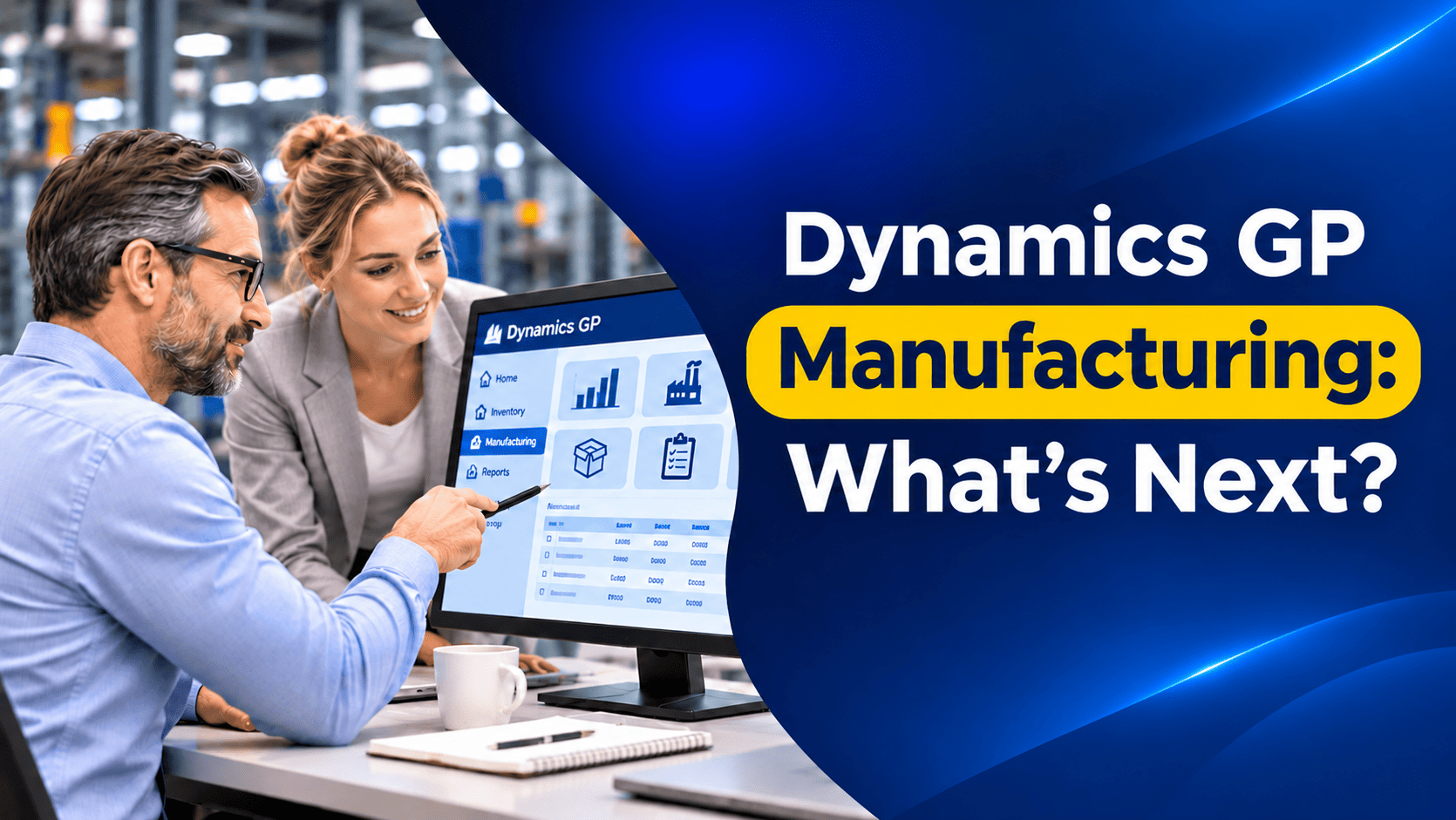
For many small and mid-sized manufacturers, Microsoft Dynamics GP has been the system that runs the business, from the bill of materials on the shop floor to the costs on the balance sheet. Dynamics GP Manufacturing has served these companies well for many years.
But with GP support ending on December 31, 2029, manufacturers face a bigger question than most GP customers. It is not only about moving the books. It is about moving production planning, shop floor processes and costing without disrupting output.
In this article, we explain what GP Manufacturing does, where its limits lie, and the realistic options for replacing it.
What Dynamics GP Manufacturing Includes
Dynamics GP Manufacturing is a suite of modules that extends GP’s inventory and sales functions for companies that build products. Microsoft groups it into a few areas:
Core functions
- Manufacturing Bill of Materials (BOM). Multi-level bills with revision levels, different BOM types (such as manufacturing, engineering and archived bills), position numbers and component quantities per unit or per order.
- Extensions to Inventory Control and Sales Order Processing, so manufactured items, components and sales demand all work together.
- Sales Configurator, for building configured products from a “super” bill of materials based on customer options.
Production functions
- Routings, defining the sequence of operations, work centers, labor, machine time and overhead for each product.
- Manufacturing Order Processing (MOP), to create, release and close manufacturing orders, issue materials and record finished goods.
- Outsourcing, for operations carried out by subcontractors.
- Work in Process (WIP) tracking.
Planning functions
- Material Requirements Planning (MRP), which calculates what to make and buy based on demand, stock and lead times.
- Capacity Requirements Planning (CRP), to see the load on work centers.
- Sales Forecasting, to feed expected demand into planning.
Management functions
- Quality Assurance, for defining tests and recording results.
- Engineering Change Management (ECM), for controlling changes to products through requests and approved change orders.
- Job Costing, for tracking costs against specific jobs.
It is also worth recognizing that GP has a simpler Inventory Bill of Materials option. It handles basic assemblies and kits but has no routings, no MRP and no labor or machine costing. Many smaller manufacturers use this instead of the full Manufacturing suite.
Where GP Manufacturing Works Well
For the right type of business, GP Manufacturing has real strengths:
- Discrete manufacturing with clear bills of materials and routings.
- Make-to-stock and make-to-order production with moderate complexity.
- Tight integration between manufacturing, inventory, purchasing, sales and the General Ledger, so production costs flow into the books.
- Engineering change control for regulated or design-heavy products.
- Mature processes. After many years of use, most GP manufacturers have well-understood routines.
The Limits of GP Manufacturing Today
We want to emphasize that GP Manufacturing is not a bad system. But it was designed for a different era, and its limits are becoming harder to work around:
- No future development. Microsoft is not adding new features to GP. Product updates and technical support end on December 31, 2029, and security updates end on April 30, 2031.
- On-premises, desktop-based design. Shop floor users, planners and managers cannot easily work from tablets, mobile devices or remote sites without additional infrastructure.
- Limited shop floor connectivity. Connecting machines, barcode scanners or modern manufacturing execution systems usually requires third-party products or customization.
- Discrete focus. GP Manufacturing is built for discrete production. Process manufacturers that work with formulas, batches, co-products and potency often rely heavily on add-ons.
- Planning that needs effort. MRP and CRP work, but many planners still export to Excel to manage priorities, schedules and what-if scenarios.
- Reporting. Getting real-time production insight, such as yields, scrap or efficiency, often means building custom reports or SmartLists.
- A shrinking ecosystem. As GP approaches end of life, fewer consultants and add-on vendors are investing in it.
If several of these sound familiar, it is time to start analyzing your replacement options.
Your Replacement Options
Option 1: Dynamics 365 Business Central
For most GP manufacturers, Dynamics 365 Business Central is the natural next step. It is Microsoft’s recommended path for GP customers and covers most of what GP Manufacturing does, in a modern cloud system.
The key point to understand is the difference between Business Central’s two main license levels:
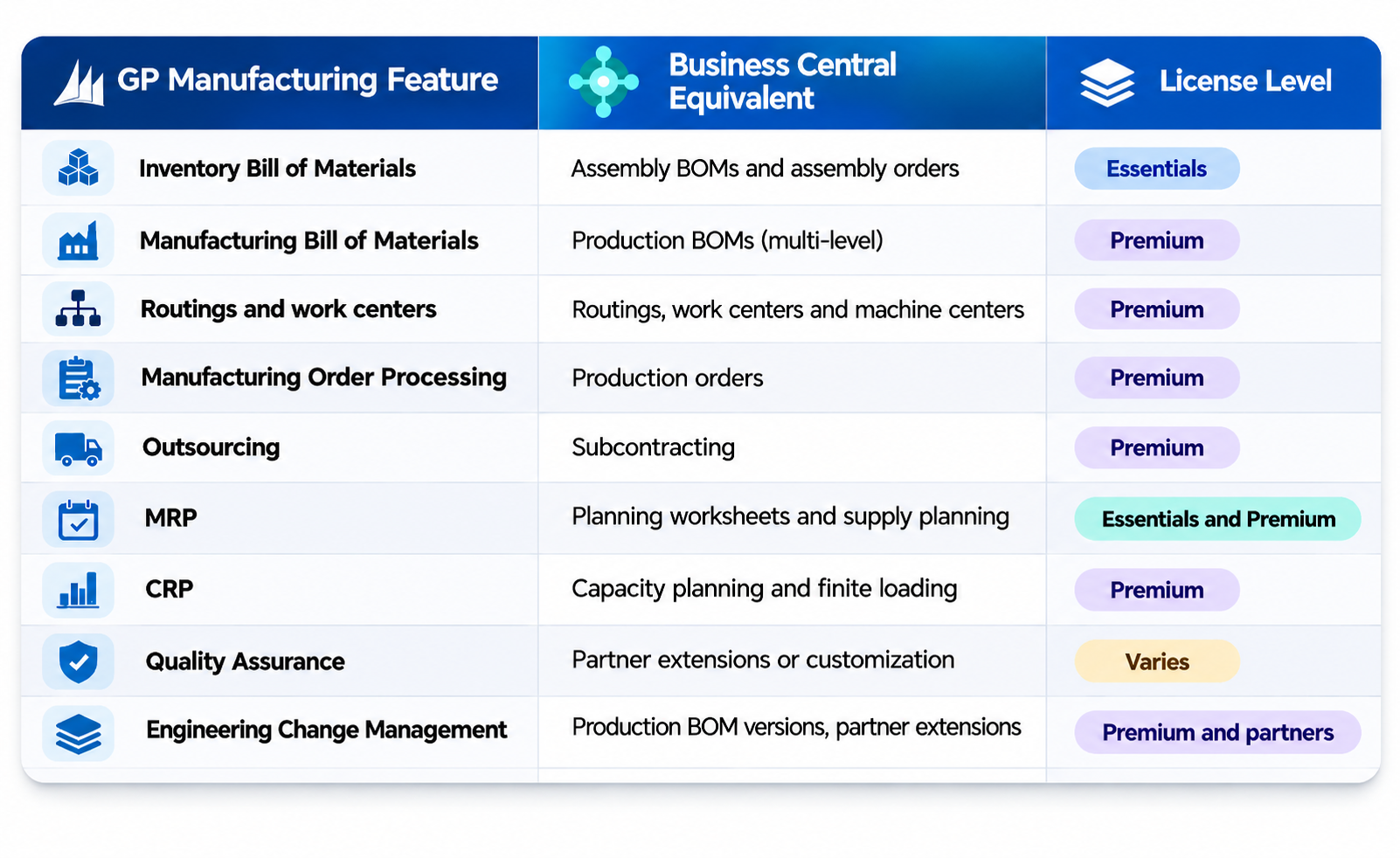
- Business Central Essentials includes assembly management, with assembly BOMs and assembly orders for kitting and light assembly, plus supply planning. It does not include routings or work center capacity.
- Business Central Premium adds full manufacturing: multi-level production BOMs, routings, work centers and machine centers, production orders (simulated, planned, firm planned, released and finished), capacity planning, finite loading, subcontracting, and output, consumption and scrap posting.
If your GP setup uses manufacturing orders and routings, you will almost certainly need Premium. If you use GP’s simpler Inventory Bill of Materials for kits, Essentials may be enough. You can compare the options on our Business Central pricing and licensing page.
Business Central also brings benefits GP cannot match: access from any device, built-in Copilot features, Power BI reporting, and a large marketplace of extensions for areas such as advanced quality control, shop floor data collection, process manufacturing and advanced scheduling.
Option 2: Business Central plus specialist add-ons
Some manufacturers need more than standard Business Central offers, for example detailed shop floor control, advanced scheduling, process manufacturing or industry compliance. In these cases, combining Business Central with a specialist manufacturing extension is often the most cost-effective route. It keeps the core system simple while adding depth where you need it.
Option 3: Dynamics 365 Supply Chain Management
For larger or more complex manufacturers, such as those with many plants, mixed-mode or process manufacturing, advanced master planning, or strict regulatory requirements, Dynamics 365 Supply Chain Management, usually paired with Dynamics 365 Finance, may be the better fit. It offers much deeper manufacturing and planning capability, but with higher license costs, a minimum license requirement and a larger implementation. You can learn more about the wider family on our Microsoft Dynamics 365 page.
GP Manufacturing vs Business Central at a Glance
Planning the Move
Manufacturing data needs more care than financial data. It is important to know that Microsoft’s GP-to-Business Central cloud migration tool focuses on financials, customers, vendors, items, inventory, open purchase orders and bank data. Bills of materials, routings, work centers and open manufacturing orders are not part of its standard scope, so they need a separate migration plan.
Our recommended approach is:
- Map your current processes, including how you plan, schedule, issue materials, report production and calculate costs.
- Clean up bills and routings in GP. Remove obsolete revisions and unused work centers.
- Decide which license level and add-ons you need before designing the new system.
- Choose your costing method carefully, as Business Central supports several approaches and the choice affects reporting.
- Plan the cutover of open manufacturing orders. Many manufacturers finish open orders in GP and start new orders in Business Central.
- Test with real production scenarios, from planning through to finished goods and costing.
- Train planners and shop floor users, not only the finance team.
Frequently Asked Questions
Does Business Central replace GP Manufacturing?
For most discrete manufacturers, yes. Business Central Premium covers production BOMs, routings, production orders, capacity planning and subcontracting. Some specialist needs, such as advanced quality management, may require an extension.
Do I need Business Central Premium for manufacturing?
If you use production orders, routings or capacity planning, yes. If you only assemble kits without routings, Business Central Essentials with assembly management may be enough.
Will Microsoft’s migration tool move my bills of materials?
Not as standard. The tool focuses on financial and core inventory data. Bills of materials, routings and manufacturing orders need a separate migration approach.
When should a manufacturer consider Dynamics 365 Supply Chain Management?
When you run multiple plants, complex process or mixed-mode manufacturing, advanced planning or heavy regulatory requirements that go beyond Business Central’s scope.
How Nevas Technologies Can Help
At Nevas Technologies, we have more than two decades of experience with Microsoft Dynamics and understand that manufacturers cannot afford disruption on the shop floor. We help you review your GP Manufacturing setup, choose the right Business Central license and add-ons, and plan a careful Dynamics GP to Business Central migration.
Our Business Central consultants and implementation plans are designed to keep production running, while our Dynamics GP support team keeps GP stable until you are ready to move.
Planning your manufacturing move from GP? Schedule a demo of Business Central manufacturing, or contact our team for a free consultation.