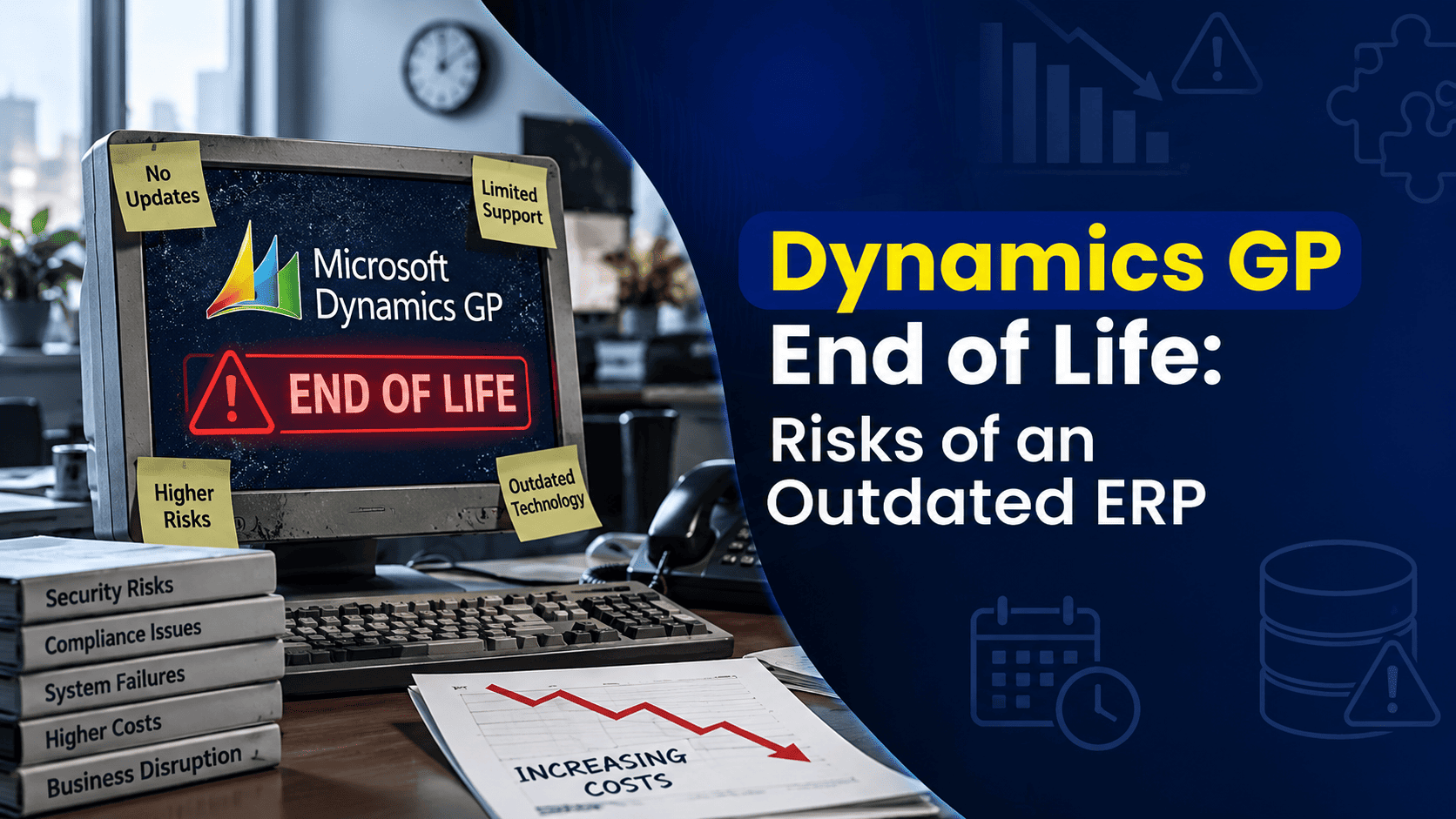
Most companies don’t decide to fall behind on their ERP. It happens gradually. A version upgrade gets pushed to next year because the team is busy. A customization that worked fine in 2018 quietly becomes a dependency nobody wants to touch. The person who understood the integrations retires, and nobody fully replaces that knowledge. None of it feels urgent in the moment, and Dynamics GP keeps doing its job well enough that there’s never an obvious reason to stop and reassess.
That’s exactly how organizations end up running an outdated ERP environment without ever making a conscious decision to do so. And it’s a comfortable place to be, right up until it isn’t. An audit finding, a security incident, a system that suddenly can’t talk to a new tool the business needs, these are the moments that turn a background risk into an urgent, expensive problem.
This guide is about closing that gap before it closes on its own terms. We’ll cover what “end of life” actually means for Dynamics GP, the specific risks an aging environment creates, how to tell if your business has already outgrown its current setup, and what your realistic options actually are, because the answer is rarely as simple as “replace everything.”
Is Your Dynamics GP Version Still Supported?
When people ask whether Dynamics GP is “still supported,” they’re usually asking the wrong question, or at least an incomplete one. Microsoft support status isn’t a single yes-or-no switch. It depends on which specific version and build of GP you’re running, and it depends just as much on everything underneath GP: your operating system, your SQL Server or database version, your integrations, and any third-party or custom applications layered on top.
A support lifecycle generally moves through mainstream support (full updates, new features, and technical assistance), then extended support (typically limited to security patches and critical fixes), and finally end of support, where no further updates, patches, or official assistance are provided at all. Microsoft has published its own current lifecycle information for Dynamics GP, and because these dates and policies can be updated, the most reliable approach is always to confirm your specific version’s status directly against Microsoft’s official lifecycle documentation rather than relying on a blog post, including this one, for the exact dates.
Here’s the detail that trips up a lot of organizations: even if your GP version itself is technically still within a support window, that doesn’t mean your entire environment is covered. GP doesn’t run in isolation. It depends on:
- The GP version and build you’re currently running, including any service packs or hotfixes applied
- The Windows Server version hosting your GP environment
- The SQL Server or database version storing your data
- Integrations connecting GP to other systems, whether that’s a CRM, an e-commerce platform, a payroll provider, or internal reporting tools
- Customizations built into GP itself, including modified forms, custom fields, and workflow logic
- Third-party applications layered on top of GP for functions like advanced reporting, inventory management, or industry-specific needs
If any one of those components falls out of support, whether the OS, the database, or a critical integration, that gap can undermine the stability and security of the whole environment, even if GP itself appears fine on paper. This is why a proper support assessment has to look at the full stack, not just the version number in the About screen.
What Are the Risks of Running an Outdated Dynamics GP Environment?
Running an aging ERP environment doesn’t create one big, obvious problem. It creates several smaller, compounding ones, spread across security, compliance, operations, and cost. Here’s how they typically show up.
Security and Cybersecurity Risks
Unsupported software and infrastructure stop receiving the patches that address newly discovered vulnerabilities. That’s true whether the unsupported component is GP itself, the underlying operating system, or the database. Attackers actively scan for known vulnerabilities in outdated systems, and once a patch stops being issued, that vulnerability stays open indefinitely. Financial and operational data sitting on top of that environment carries that exposure with it, whether or not anyone in the organization is thinking about it day to day.
Compliance and Audit Risks
Auditors increasingly look beyond the financial statements themselves and examine the systems and controls that produced them. An ERP environment running on an unsupported operating system or database can raise questions about the integrity and reliability of the financial data it generates, regardless of how accurate the actual numbers turn out to be. That can translate into audit findings, requests for remediation plans, or, in regulated industries, more serious compliance exposure. The technology supporting your financial controls is increasingly treated as part of those controls, not separate from them.
Operational and Business Continuity Risks
Older infrastructure tends to fail in less predictable ways, and recovery gets harder when the components involved are no longer actively supported. A server issue, a database corruption event, or a failed integration can turn into extended downtime when there’s no vendor support to fall back on and increasingly limited internal expertise to resolve it quickly. Businesses running aging, unsupported components are, by definition, operating with less of a safety net than they had when that infrastructure was current.
Integration and Technology Limitations
Modern business tools assume a certain baseline of connectivity: APIs, cloud services, Microsoft 365, and the Power Platform are all built around current, well-supported technology standards. Older GP environments, particularly those running on aging infrastructure, often struggle to integrate cleanly with newer tools, which pushes teams toward manual workarounds, duplicate data entry, and reporting processes that live outside the ERP entirely. Over time, that erodes exactly the kind of single-source-of-truth benefit an ERP system is supposed to provide.
Increasing Maintenance and Support Costs
Specialized expertise in older, customized GP environments tends to get more expensive, not less, as the pool of people who understand that specific configuration shrinks. Emergency fixes cost more than planned maintenance. Legacy infrastructure often requires niche hardware or licensing arrangements that are harder to source. None of this shows up as a single dramatic expense. It shows up as a slow, steady increase in what it costs just to keep things running as they are.
Upgrade and Migration Complexity
Here’s the part that catches a lot of businesses off guard: the longer an environment goes without modernization, the harder modernization becomes. Customizations accumulate. Integrations multiply. Historical data grows. Third-party applications get layered on top of each other. Underlying infrastructure ages further. Each of these makes a future upgrade or migration more complex and more expensive than it would have been if addressed earlier, which is exactly the trap that keeps organizations delaying in the first place.
How to Know If Your Business Has Outgrown Its Dynamics GP Environment
Not every business running GP is at the same point in this cycle. Here’s a practical checklist to help gauge where your organization actually stands. The more of these that sound familiar, the more seriously it’s worth taking a real assessment.
- Your GP version is no longer within Microsoft’s mainstream or extended support window
- Your underlying operating system or database is approaching or has already reached end of support
- Applying security updates has become difficult, delayed, or inconsistent
- Your internal IT team struggles to find or retain GP-specific expertise
- Integrations with other business systems increasingly require manual workarounds
- Financial or operational reporting relies heavily on manual processes outside GP
- Employees maintain shadow spreadsheets because GP can’t easily produce the reports they need
- Your business needs better remote or cloud-based access than your current setup provides
- Your organization is growing, adding locations, entities, or business lines faster than GP was designed to handle
- You’re concerned about how your GP environment would hold up under audit scrutiny
- You’re spending more on maintaining GP than you originally budgeted or expected
- You keep delaying upgrades specifically because of how heavily customized your environment has become
If several of these apply, that’s not necessarily a signal to migrate immediately. It’s a signal that a proper environment assessment should be a near-term priority, so the eventual decision gets made deliberately rather than under pressure.
Should You Upgrade Dynamics GP or Migrate to Business Central?
This is rarely a simple either-or decision, and the right answer genuinely depends on your specific environment, goals, and timeline. Both paths are legitimate. Here’s a balanced look at how they compare.
| Consideration | Upgrade Dynamics GP | Migrate to Business Central |
|---|---|---|
| Existing GP investment | Strong advantage, builds on what you already have | Requires a transition away from your current setup |
| Familiarity | High, minimal retraining needed | Requires change management and user training |
| Modern cloud capabilities | Limited, depends heavily on infrastructure approach | Strong, built natively for the cloud |
| Microsoft 365 integration | More limited | Strong, native integration |
| Power Platform integration | More limited | Strong |
| Scalability | Depends on your underlying infrastructure | Strong, cloud-based scalability |
| Infrastructure management | Can remain significant, especially on-premises | Largely handled by Microsoft in the cloud |
| Long-term modernization path | Often incremental, addressing issues one at a time | Stronger long-term modernization path |
An upgrade can be the right call for businesses with relatively stable, well-supported infrastructure that primarily need to close a version or support gap without a larger transformation. A migration tends to make more sense for businesses looking for a genuine long-term modernization path, not just a patch on the current system. Neither option is automatically correct for every organization, and the right call depends on factors specific to your environment.
When Does a Dynamics GP to Business Central Migration Make Sense?
Migration tends to be the stronger option when several of the following are true for your organization:
- You want a genuinely cloud-based ERP rather than an on-premises system with a cloud wrapper around it
- Reducing the burden of infrastructure management is a real priority, not just a nice-to-have
- You need modern integration capabilities with Microsoft 365, Power Platform, or third-party cloud tools
- Your business is actively growing and needs an ERP that scales without major re-architecture
- You operate, or plan to operate, across multiple locations or legal entities
- Your reporting needs have outgrown what GP can reasonably deliver without heavy customization or manual work
- Improved remote and mobile accessibility for your team is a genuine business need
- You want to build more automation into financial and operational processes
- Your GP infrastructure is aging and approaching a natural replacement point regardless of the software decision
- Your customizations have become difficult to maintain, document, or explain to new staff
- You’re thinking in terms of a multi-year ERP modernization strategy, not just solving this year’s problem
If most of these don’t apply yet, an upgrade or infrastructure modernization path may reasonably buy you more time. If several of them do apply, that’s a strong signal it’s worth putting migration seriously on the table.
How to Prepare for a Dynamics GP Migration
Whether migration ends up being next year’s project or a longer-term plan, preparation should start well before the decision is finalized. A structured approach generally includes:
- Assess your existing GP environment – Document your current version, configuration, and how the system is actually being used day to day, not just how it was originally designed.
- Review your GP version and support status – Confirm exactly where you stand against Microsoft’s current lifecycle information for your specific version.
- Review infrastructure and database dependencies – Identify the support status of your operating system, SQL Server or database version, and any hosting environment involved.
- Inventory customizations and integrations – Build a clear list of every custom field, modified workflow, and connected third-party system, since these are often the most time-consuming part of any migration.
- Review your business processes – Understand what’s actually working well today and what’s being propped up by workarounds, so you’re not simply recreating old inefficiencies in a new system.
- Identify what data needs to be migrated – Decide what historical data needs to move with you versus what can be archived separately for reference.
- Define your future-state requirements – Get clear on what you actually need the new environment to do, not just what the old one used to do.
- Compare upgrade versus migration seriously – Use the criteria above to make an honest, business-specific comparison rather than defaulting to whichever option feels more familiar.
- Build a realistic roadmap – Set a timeline that reflects your actual complexity, not an optimistic best case.
- Plan for testing, training, and change management – The technical migration is only part of the project. User adoption and process validation are what determine whether it actually succeeds.
What Happens If You Wait Too Long?
There’s an important difference between proactive modernization and an emergency migration forced by circumstances outside your control, and it’s worth being honest about what that difference actually costs.
Waiting doesn’t eliminate the eventual decision. It just changes the conditions under which you make it. Organizations that plan ahead generally have more options, more time to evaluate them properly, and more control over budget and timeline. Organizations that wait for an audit finding, a security incident, or an infrastructure failure to force the issue typically find that:
- Costs run higher, since emergency projects rarely benefit from the pricing or planning advantages of a scheduled initiative
- Options narrow, since some paths that were viable earlier may no longer be practical under time pressure
- Operational disruption increases, since rushed migrations leave less room for proper testing and change management
- Security exposure has already been accumulating in the background, often for longer than anyone realized
- Audit pressure adds a compliance deadline on top of an already complex technical project
- Specialized GP expertise becomes harder to find on short notice, particularly for older or heavily customized environments
- Legacy dependencies have had more time to multiply, making the technical scope of the project larger than it would have been earlier
- The ability to plan the transition around your business calendar, rather than around a crisis, disappears
None of this means every business needs to migrate immediately. It means the planning and assessment work should happen on your timeline, not on a timeline dictated by whichever risk materializes first.
Final Thoughts
Running Dynamics GP isn’t inherently risky. Running an outdated, unsupported, or poorly understood GP environment is where the real exposure lives, and that exposure tends to build quietly until something forces the conversation. The businesses that come out ahead are generally the ones that assess their environment on their own terms, well before an audit, a security incident, or an infrastructure failure does it for them.
The right next step isn’t automatically “migrate to Business Central.” It’s an honest assessment of your current GP version, your underlying infrastructure, your customizations, and your business’s actual direction, so whatever decision you make, staying with a clear risk-management plan, upgrading, modernizing your infrastructure, or migrating, is a deliberate one rather than a default.
If you’re unsure whether your Dynamics GP environment should be upgraded, modernized, or migrated to Business Central, that assessment is exactly where to start. Nevas Technologies has spent over 20 years helping organizations evaluate their Microsoft Dynamics environments and plan the modernization path that actually fits their business, not a generic recommendation built around the loudest headline. With 200+ clients and a team of certified Microsoft Dynamics consultants, we help businesses get a clear, honest picture of where they stand today and what their realistic options actually are.
Frequently Asked Questions
Is Dynamics GP reaching end of life?
Yes, Microsoft has published lifecycle information for Dynamics GP, and specific versions move through mainstream support, extended support, and eventual end of support on Microsoft’s published timeline. The exact dates depend on which version and build you’re running, so it’s worth confirming your specific version against Microsoft’s current official lifecycle documentation rather than relying on a general timeline.
Is Microsoft still supporting Dynamics GP?
Support depends entirely on your specific version. Some versions remain within an active support window, while older versions have already moved into extended support or reached end of support. It’s also important to check the support status of your underlying operating system and database, since GP’s support status alone doesn’t tell the whole story.
What happens if I continue using an unsupported Dynamics GP version?
The system will likely continue to function, but without security patches, product updates, or official Microsoft support. That creates growing security exposure, potential compliance and audit risk, and increasing difficulty resolving issues if something goes wrong.
Can I still upgrade Dynamics GP?
In many cases, yes, though the feasibility depends on your current version, your underlying infrastructure, and how heavily customized your environment is. Some older environments discover during the upgrade process that outdated infrastructure limits their options, which is exactly why an early assessment matters.
Should I upgrade Dynamics GP or migrate to Business Central?
It depends on your specific situation. An upgrade can make sense for businesses with relatively stable infrastructure looking to close a support gap. A migration tends to make more sense for businesses seeking a genuine long-term cloud and modernization strategy. Neither is automatically the right answer for every organization.
How difficult is it to migrate from Dynamics GP to Business Central?
Complexity varies significantly based on your data volume, customizations, integrations, and how much of your current process you want to carry forward versus redesign. A proper environment assessment is the only reliable way to gauge complexity for your specific situation.
How long does a Dynamics GP migration take?
Timelines vary widely depending on scope and complexity, so there’s no single reliable figure that applies across businesses. A realistic timeline should come from an assessment of your specific environment rather than a general estimate.
What data can be migrated from Dynamics GP to Business Central?
Core data such as master records, open transactions, and current balances can generally be migrated, while historical transaction data is often archived separately for reference rather than fully migrated. The right approach depends on your reporting, audit, and retention requirements.
How much does it cost to migrate from Dynamics GP to Business Central?
Cost depends on your transaction volume, customizations, integrations, and data complexity, so there isn’t a reliable one-size-fits-all figure. A scoped assessment of your specific environment is the only way to get a meaningful estimate.
What should I do if my Dynamics GP environment is flagged during an audit?
Start with a full assessment of your GP version, underlying infrastructure, and dependencies to understand the scope of the issue. From there, evaluate whether an upgrade, infrastructure modernization, or migration best addresses the specific gap the audit identified, ideally with guidance from a partner who can assess the technical and compliance implications together.
Next Steps
Schedule a free Dynamics GP environment assessment with our Microsoft Dynamics team, or get a custom quote to start planning your next step, whether that’s an upgrade, infrastructure modernization, or migration to Business Central.