From NAV to Business Central
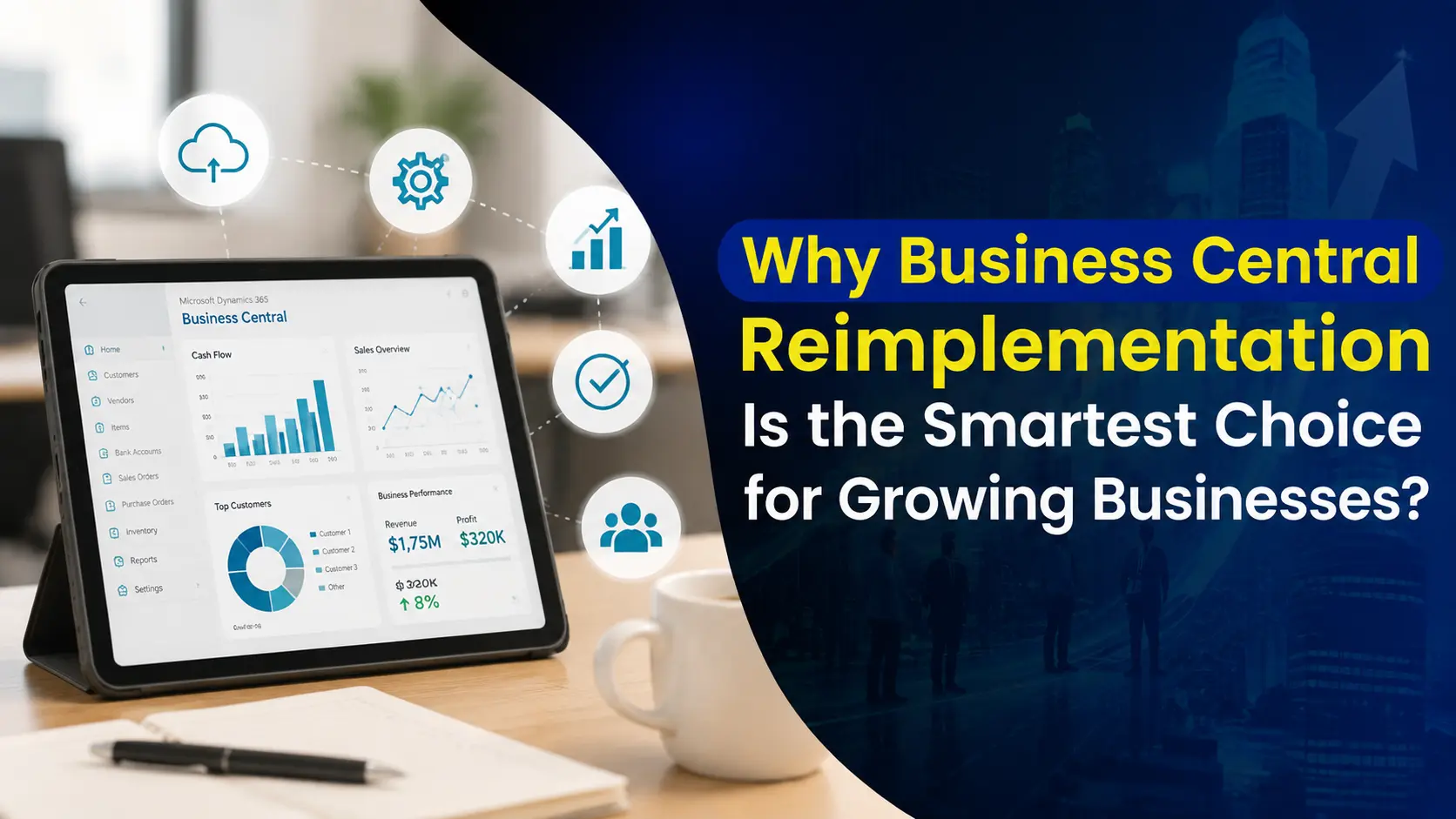
Why Business Central Reimplementation Is the Smartest Choice for Growing Businesses?
A plain-language guide for finance and business leaders at Dynamics NAV companies weighing a move to Business Central — covering support timelines, rising maintenance fees, the upgrade-vs-rebuild decision, and the real five-year cost.
Every year you stay on NAV, the risk bill keeps climbing. Most organizations still running Microsoft Dynamics NAV — wherever they’re headquartered — treat the move to Dynamics 365 Business Central as a technical upgrade they can put off for another budget cycle. That’s understandable — NAV still works, the team knows it, and “if it isn’t broken” is a hard instinct to override. But every additional year on NAV quietly adds to operational risk, compliance exposure, support dependency, and long-term ERP cost, even while nothing visibly changes on the surface.
Microsoft has been clear about where it’s headed. NAV is no longer where innovation, AI investment, or future-ready compliance work happens — that’s all Business Central now. Business Central isn’t a rebrand or a routine version bump; it’s a genuinely different delivery, support, and lifecycle model.
So the real question for most NAV customers isn’t whether to move to Business Central anymore. It’s how much legacy complexity and technical debt you want to drag along with you when you do. For most mature NAV environments, a reimplementation — rebuilding on Business Central rather than lifting NAV as-is — delivers more long-term value with meaningfully less risk than another upgrade cycle.
1. Why NAV to Business Central Is No Longer Optional
NAV 2018 was the final major release of the product. Mainstream support for it ended back in January 2023, and extended support — security patches only, no new features, no regulatory guarantees — runs out in January 2028. That sounds like a comfortable runway until you notice how quickly ERP migrations actually take once you start scoping them.
Microsoft has also been sweetening the deal for customers who move sooner rather than later. The current incentive, Bridge to Cloud 3, offers a 30% discount on Business Central licensing for customers who enroll between January 2026 and December 2027 — a meaningful reduction in modernization cost, but a window that closes on a fixed date, not whenever you happen to get around to it.
Beyond the sticker price of staying put, delay carries its own compounding risks:
- Regulatory and tax compliance gets harder to maintain as updates slow down
- Dependence on aging, undocumented customizations deepens
- The pool of experienced NAV talent keeps shrinking — and getting pricier
NAV will keep running. That was never really the question. The question is what it costs you to keep it running, and that number goes up every year, not down.
This shift is already visible across the partner ecosystem. Microsoft Dynamics NAV Support is contracting fast — many partners have redirected their teams to Business Central work, so the pool of firms still offering real Dynamics NAV support services keeps shrinking every quarter. If you currently rely on a Microsoft Dynamics NAV partner for day-to-day fixes, it’s worth asking directly how much longer they plan to keep supporting the platform — the honest answer is often shorter than you’d expect.
2. Your Annual Maintenance Fee: What It Covers, and Why It’s Not Enough Anymore
For years, staying current on NAV has meant paying an annual maintenance fee to Microsoft — they call it BREP, but the name doesn’t matter as much as the trend: that fee has crept upward steadily, rising almost every year, and now sits at 20% of what you originally paid for your license, up from 16% not that long ago. In plain terms, this fee has historically bought you four things:
- The right to upgrade to newer versions at no extra license cost
- Security patches and required tax or regulatory updates
- A limited number of support tickets each year
- The ability to add users without buying a whole new license
On paper, that protected your investment. In practice, it often didn’t. Upgrading NAV was a manual, disruptive project — not something that happened automatically — so most organizations simply put it off, sometimes for years. The predictable result: older NAV systems, layers of custom-built workarounds stacked on top of each other, and daily processes quietly bent around limitations the software should never have had. The maintenance fee kept the system alive. It rarely kept it current.
Business Central removes this cost category entirely. Because you pay for it as a Business Central Subscription, upgrades, regulatory changes, security patches, and support are simply included — there’s no separate annual fee to renew, no risk of quietly falling behind on compliance, and no looming, expensive project waiting for you a few years down the road. That’s the real difference: Business Central isn’t NAV with a new coat of paint. It’s a fundamentally more predictable way to budget for your business software.
For a full breakdown of tiers, per-user costs, and add-ons, see our Business Central Licensing Guide.
3. Upgrade or Rebuild? The Decision That Actually Shapes Your ROI
Once an organization accepts that Business Central is inevitable, a more consequential question follows: do you upgrade your existing NAV environment, or reimplement from the ground up?
Upgrade
- Carries your existing custom setup and processes forward as-is
- Preserves the way your team already works — less retraining
- Often carries the same underlying problems into your new cloud system, rather than fixing them
Reimplementation
- Rebuilds your processes around how the business actually runs today, not five years ago
- Retires outdated or unnecessary custom work you’re paying to maintain
- Uses Business Central’s built-in capabilities instead of working around them
- Lowers what you’ll spend on support and upkeep for years afterward
For organizations that have paid the annual maintenance fee for years, a straight upgrade usually just moves the same old problems into a nicer-looking system, rather than actually fixing them. Reimplementation costs more time up front, but it resets the foundation — it’s the difference between renovating around a cracked slab and finally pouring a new one.
4. The Real Payoff of Switching From NAV to Business Central
Migrating from NAV to Business Central is a bigger shift than a version number suggests. It’s a move toward a connected, scalable, AI-ready way of running the business.
- No more servers to maintain. Business Central runs entirely in Microsoft’s cloud. There’s no server room to keep running, no hardware to replace every few years, and your team can work securely from home, a client site, or a different office without extra setup.
- A guaranteed uptime, backed financially. Microsoft guarantees the system will be up and running 99.9% of the time — and if it isn’t, you’re compensated. Backups and disaster recovery happen automatically across Microsoft’s global data centers, so you’re not depending on one local partner’s server or backup routine.
- Works inside the tools your team already uses. Business Central connects directly with Outlook, Teams, Excel, SharePoint, and OneDrive, which means faster adoption and far less pushback from staff than NAV ever got.
- Built for where AI in finance is headed. Business Central is where Microsoft is investing its AI tools (Copilot) for finance and operations. NAV isn’t eligible for any of it, and that gap only widens over time.
- Licensing that’s easy to budget for. You pay a fixed monthly amount per person who uses the system — roughly $80/user/month for the standard tier and $110/user/month for the advanced tier, at current Microsoft pricing. That replaces NAV’s older model, which priced licenses by how many people could be logged in at once, a much messier thing to plan and budget around as headcount changes.
- Fewer custom-built connections to maintain. Business Central connects to your other software through modern, standard connections instead of the fragile custom coding NAV often needed, and new features or regulatory changes roll out automatically instead of through a disruptive project every time.
- Tax compliance built in, not bolted on. Many NAV setups rely on custom development or add-on tools to handle local tax rules. Business Central handles tax rules out of the box and connects with trusted providers — Avalara and Vertex for US sales tax, plus built-in VAT and GST handling for other countries — which reduces audit risk without ongoing development work.
- Declining usability and adoption — as employees use intuitive cloud tools everywhere else, NAV pushes them back toward spreadsheet workarounds
- Limited real-time visibility — reports and data pulls often lag by a day or more, so leadership doesn’t have same-day insight into cash flow, inventory, or performance
- Process inflexibility — even small changes to how work gets done require a developer, because so much is buried in custom code
- Talent scarcity — people who know how to work on NAV are harder to find and more expensive to hire every year
- Security and compliance exposure — older login and security safeguards make it harder to meet today’s cybersecurity standards
- Revenue leakage — disconnected processes and delayed postings mean more invoicing errors and reconciliation headaches
- Lost competitive agility — competitors running AI-driven forecasting and embedded analytics simply move faster
- A deep understanding of NAV licensing and your maintenance-fee history
- Real expertise setting up Business Central to fit how your business actually runs
- Experience moving your data over, and deciding what custom work to keep, retire, or rebuild
- Knowledge of the tax and regulatory rules that apply to your business
- How much custom work you’re carrying, and what risk it creates
- Your current maintenance-fee and license position
- How complex moving your data over will be
- Where your day-to-day processes could be simplified
- Determine whether an upgrade or reimplementation delivers greater long-term value
- Identify customizations and legacy logic worth retiring, redesigning, or replacing
- Align Business Central’s capabilities with your current and future operating model
- Reduce how much the business depends on manual workarounds and old patches
- Build your local tax, compliance, and reporting requirements in from day one, instead of bolting them on afterward
- Your current NAV setup, including custom work and where it’s creating risk
- Your maintenance-fee and license position, and how it shapes your options
- How complex your data move will be, and what to do with historical records
- Where Business Central can close process gaps you have today
- A recommended path forward, based on risk, cost, and long-term sustainability
- Deep NAV and Business Central expertise
- Strong understanding of regulatory and tax requirements across US and international markets
- A structured reimplementation methodology
- Transparent recommendations grounded in long-term ERP value
- A focus on adoption, sustainability, and outcomes you can actually measure
5. The Growing Cost of Holding On to NAV
NAV can keep running for years yet. That doesn’t mean the risk holds still while it does. Organizations that delay tend to run into the same compounding pain points, in roughly this order:
If more than a couple of those sound familiar, your ERP has quietly shifted from supporting growth to constraining it.
6. Weighing the Numbers: Business Central vs. NAV Over Five Years
Cost is usually what drives this conversation, but comparing NAV’s annual maintenance fee to a Business Central subscription on that line alone misses most of the picture. The maintenance fee looks predictable on paper. It hides growing costs tied to hardware, upkeep of custom-built features, and the upgrade projects organizations eventually can’t avoid.
The figures below are illustrative — a representative scenario for a mid-market organization, priced in USD — not a quote, but they reflect assumptions commonly used in real ERP business cases. The same logic holds regardless of currency or region; only the numbers shift.
Assumptions
| Dynamics NAV (On-Premises) | Business Central (Cloud) | |
| Base | Existing owned license, valued at $150,000 | 20 full users, Essentials / mixed tier |
| Rate | Annual maintenance fee (BREP) at 20% of license value | ~$80–$90/user/month blended (Microsoft list pricing, USD) |
| Overhead | Ongoing on-prem infrastructure & partner dependency | Updates, security, compliance & support included |
5-Year Cost Comparison
|
Cost Component |
NAV + Maintenance Fee (5 yr) |
Business Central (5 yr) |
|
Licensing / Maintenance |
$150,000 |
~$96,000–$108,000 |
|
Upgrade projects |
$75,000 |
Included |
|
Customization maintenance |
$60,000 |
Included |
|
Infrastructure & IT overhead |
$50,000 |
Included |
|
Total |
$335,000 |
~$100,000–$110,000 |
Note: NAV totals exclude harder-to-quantify risk costs like audit exposure, downtime, or partner unavailability. Implementation costs are intentionally left out of both columns, since NAV upgrade projects carry comparable — and frequently underestimated — costs of their own.
What this actually shows: with NAV, you keep paying a rising fee on money you already spent. That fee buys stability, not progress, and the risk keeps climbing as fewer partners support the older system. With Business Central, every dollar buys something active — updates, compliance, and security come standard, there’s no separate maintenance fee or upgrade project waiting around the corner, and cost scales with your actual headcount and growth.
Most NAV customers land on the same conclusion somewhere between year three and year five: they’re spending more to keep NAV alive than it would cost to modernize. The maintenance fee protects a license. It doesn’t protect the business.
7. Why the Right Implementation Partner Matters as Much as the Platform
Even with Microsoft’s cloud infrastructure doing the heavy lifting, a successful NAV-to-Business-Central transition still lives or dies on the implementation partner. A genuine reimplementation calls for:
This is where execution — not the software alone — determines whether the project actually pays off.
8. Torn Between Upgrading and Reimplementing? Get Clarity First
Plenty of organizations genuinely aren’t sure whether an upgrade or a full reimplementation fits their environment. That uncertainty is exactly what leads to delay, or to a costly decision made under pressure once NAV support finally runs thin.
NevaTech’s NAV to Business Central Readiness Assessment looks at:
The output is a clear, evidence-based recommendation tied to cost, risk, and long-term value — not a generic sales proposal dressed up as advice.
A successful transition isn’t measured by how fast you migrate. It’s measured by how deliberately you reimplement. Plenty of organizations rush into upgrades and end up replicating the same outdated workflows, just with higher support costs after go-live. Others wait too long and absorb rising compliance exposure along with a shrinking pool of NAV support options. Either way, the difference comes down to clarity before execution.
9. How NevaTech Guides NAV Customers Through a Confident Transition
At NevaTech, a NAV to Business Central reimplementation is treated as a structured modernization initiative — not a technical lift-and-shift. The goal is resetting your ERP foundation so Business Central supports growth, compliance, and efficiency for years, not just through the next audit cycle.
That work helps you:
Start With a Business Central Reimplementation Readiness Review
Before committing to scope or timelines, NevaTech offers a Reimplementation Readiness Assessment built for NAV customers, wherever they operate. It delivers clear, actionable insight into:
The outcome isn’t a generic proposal. It’s a practical roadmap that tells you whether reimplementation is actually necessary — and exactly how to approach it with control and confidence.
Why NAV Customers Choose NevaTech
Our role isn’t just moving your system from one place to another. It’s making sure Business Central works for your business today — and keeps working as you scale.